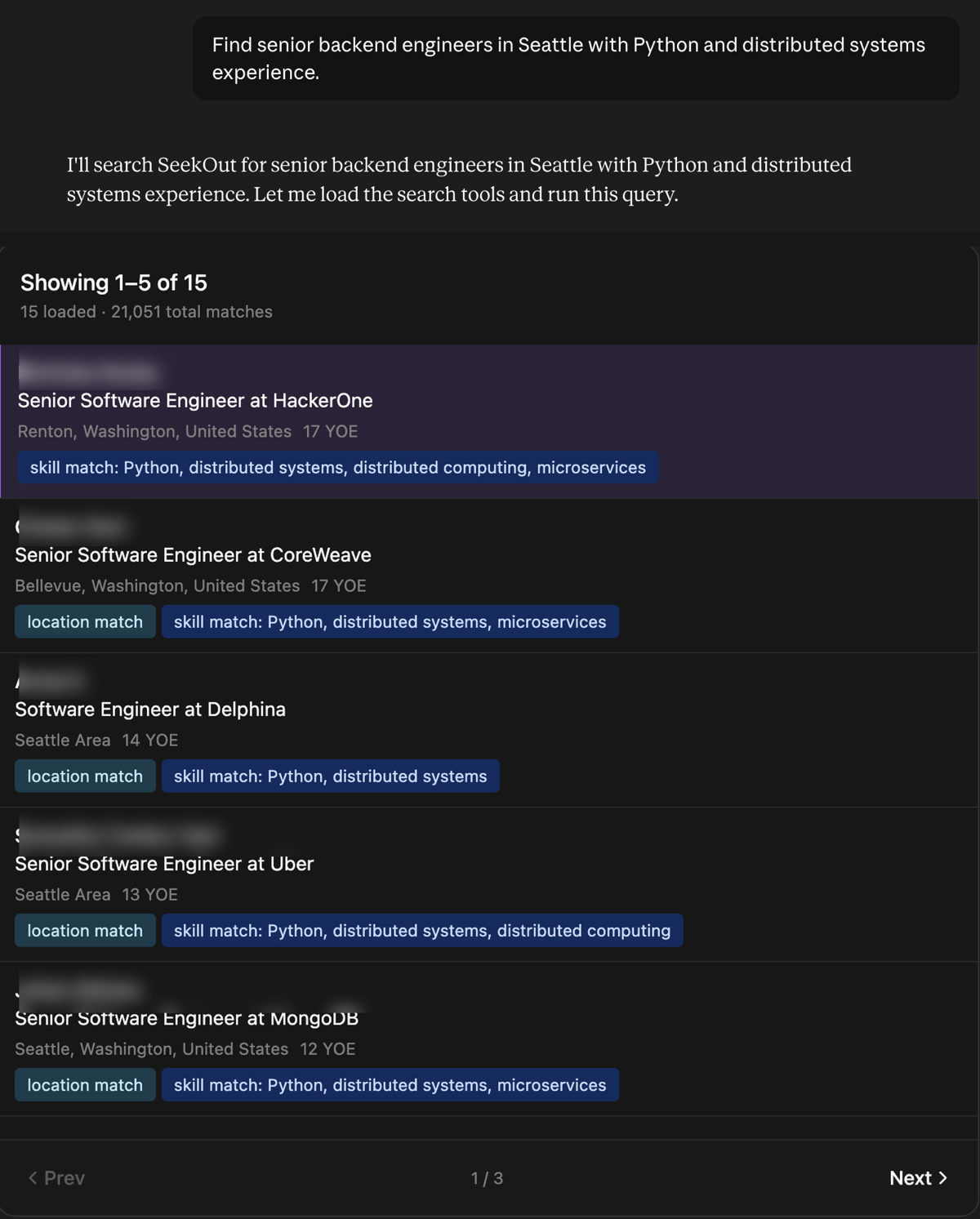
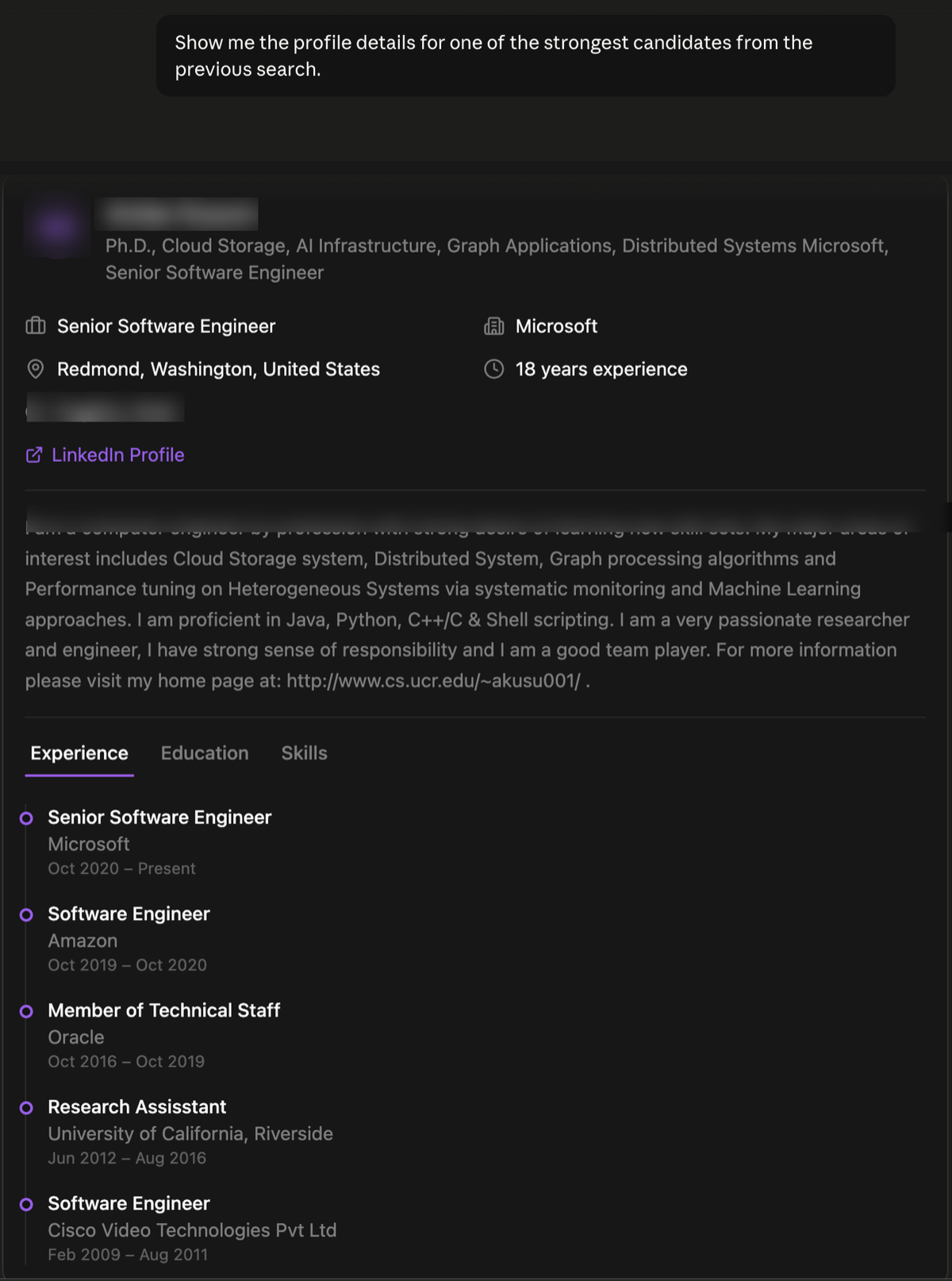
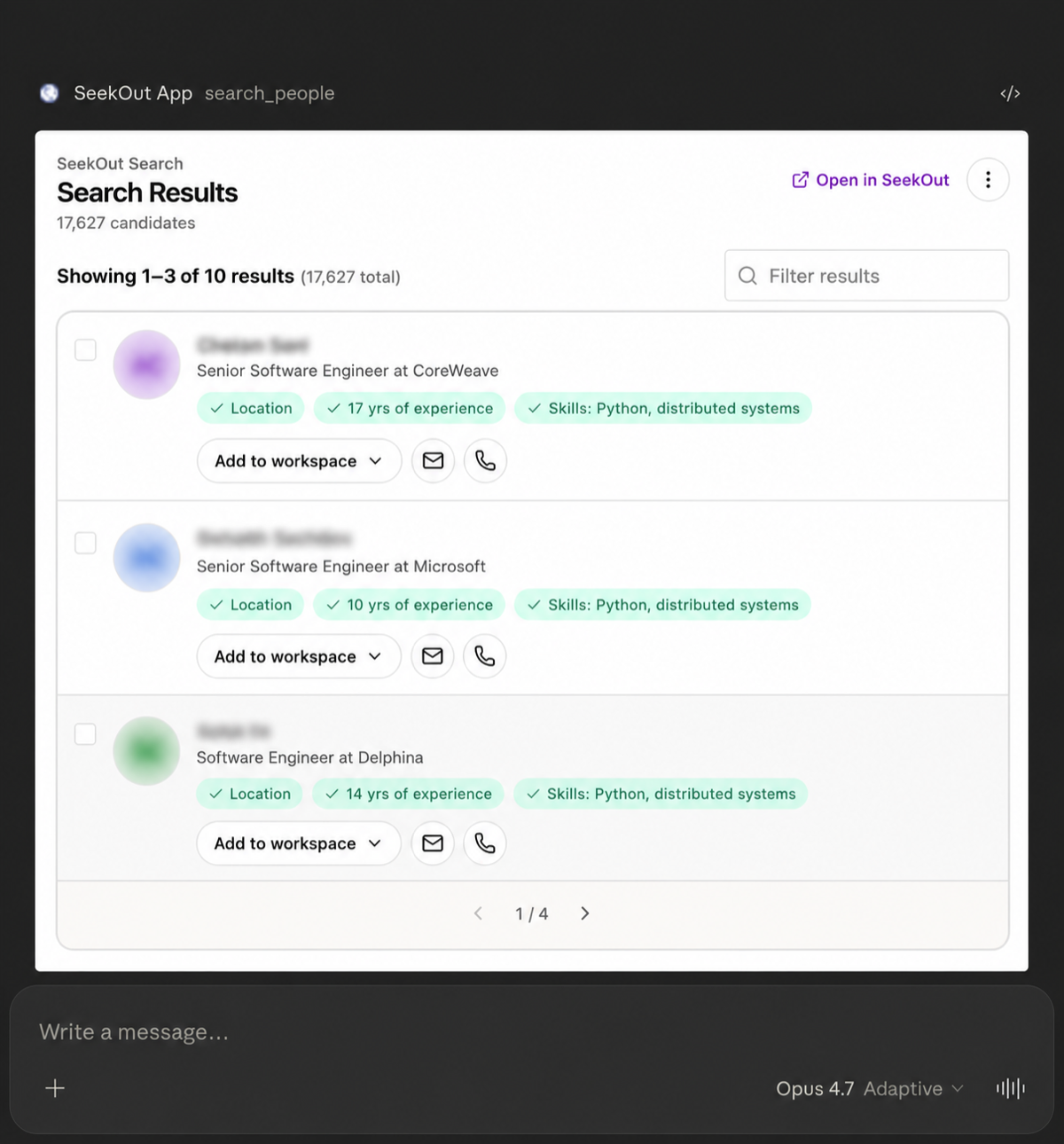
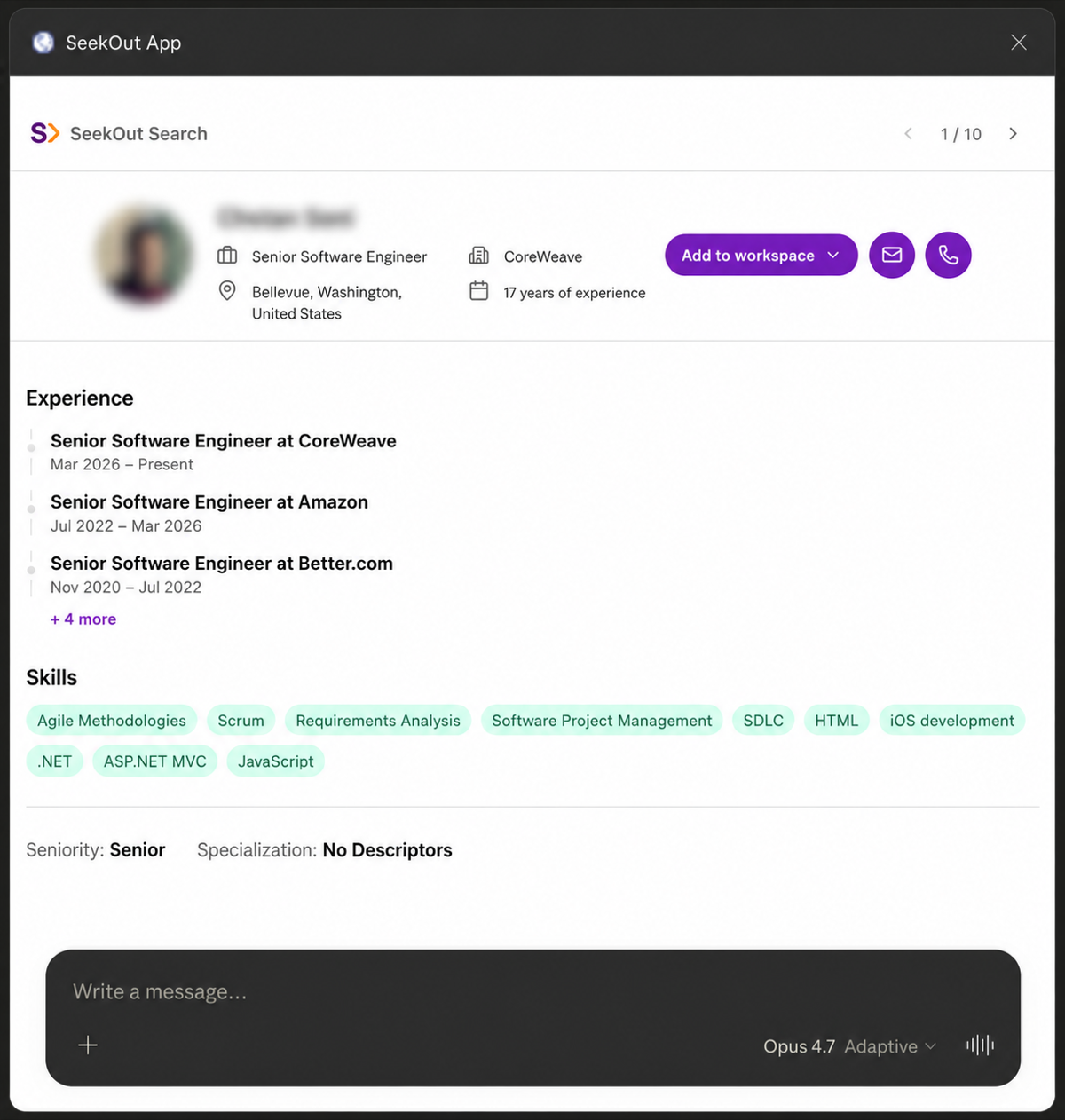
Stop switching between tools. Search, evaluate, and reach out to talent across every source SeekOut has, right inside the AI assistant you already use.
Works with Claude, ChatGPT, Gemini, Copilot, Amazon Quick & moreAlready a SeekOut Recruit customer? You can start using this today.
SeekOut MCP is fully available within your current Recruit license. Connect your AI assistant in minutes. Contact your SeekOut representative to get started.
SeekOut connects directly to the AI assistant your team already uses. Describe what you need in plain English and your assistant searches SeekOut, analyzes results, and helps you take action. Because it works alongside every other tool your assistant is connected to (email, calendar, CRM, internal tools), your team can go from search to outreach without switching a single tab.
"Find ICU nurses in Chicago with Magnet hospital backgrounds"
Search across public profiles, GitHub developers, academic researchers, healthcare providers, and nursing professionals. Your AI assistant picks the right data source based on your query.
"Who's been waiting longest in our Senior Data Engineer pipeline?"
See your ATS candidates by stage, review application history, and prioritize follow-ups. Hiring managers get full visibility without learning a new tool.
"Save the top candidates to a new Recruit workspace and share with the hiring panel"
Create and manage SeekOut Recruit workspaces directly from the chat. Add candidates, share with your team, and stay in sync with Recruit.
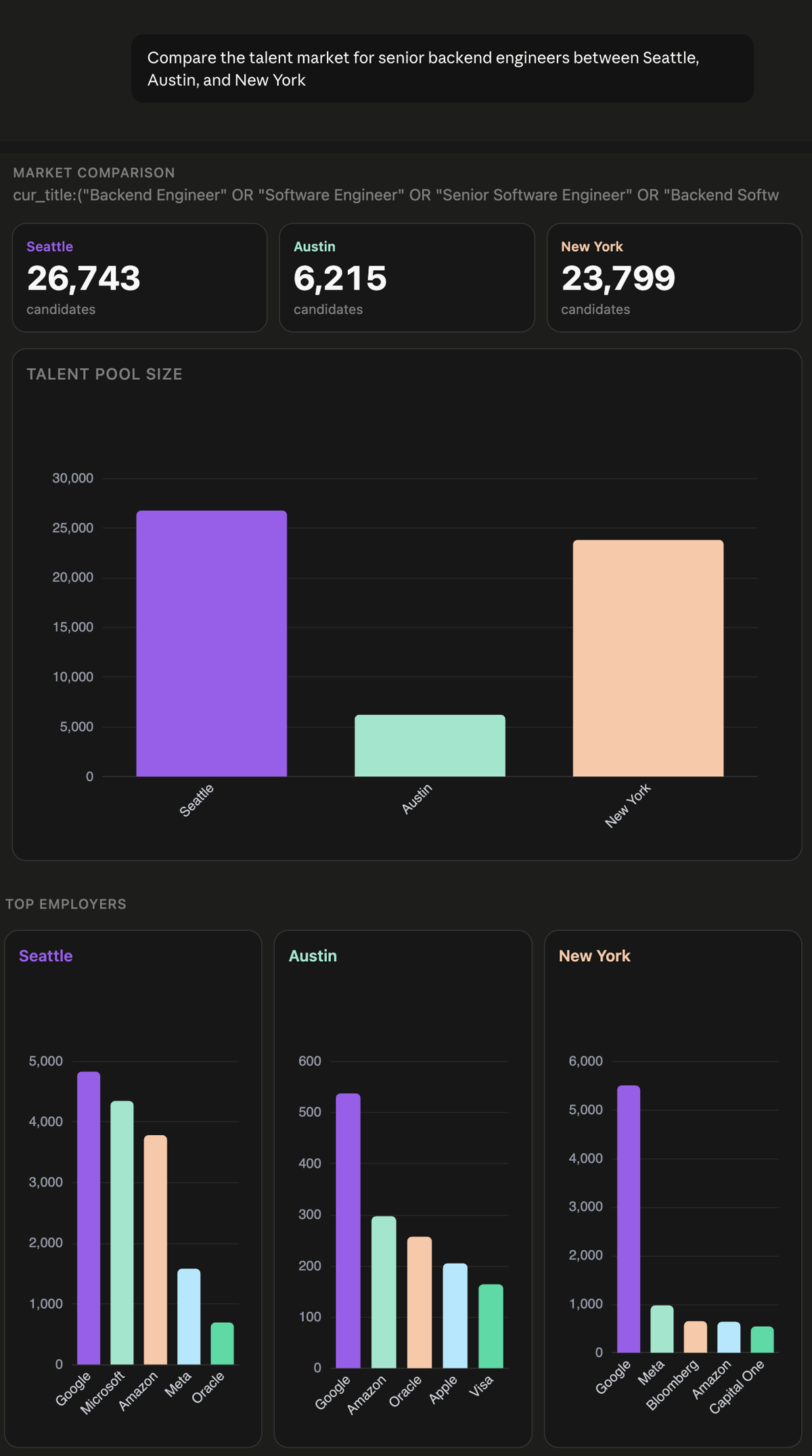
"How many data scientists are in NYC vs. Austin vs. Denver?"
Parallel market counts, company team mapping, competitive intelligence, and diversity breakdowns. Structured tables, not paragraphs.
"Assess this person's fit for our VP of Finance role"
Full profile pull, skills-match scoring, experience trajectory analysis. Compare candidates side-by-side and build ranked shortlists.
"Get contact info for the top 3 and draft outreach emails"
Retrieve emails and phone numbers, draft personalized messages, export to Excel, push to your ATS, save to Recruit workspaces. No tab switching.
SeekOut brings together five specialized talent pools and your ATS pipeline. Your AI assistant picks the right data source based on your query.
Professional profiles with work history, skills, education, seniority, and location data. The foundation for most talent searches.
Software engineers ranked by contributions, programming languages, repositories, and open-source activity level. Find the builders, not just the resumes.
Researchers and subject-matter experts with h-index, citation counts, published papers, patents, and institutional affiliations.
Physicians and healthcare professionals with NPI numbers, specialties, hospital affiliations, and clinical data.
Registered nurses, LPNs, and nurse practitioners with license type, state licensure, license status, and nursing credentials.
If your organization has a connected ATS, search your existing talent pipeline. Hiring managers can review candidates already in the funnel by stage, application date, and history.
Connect SeekOut to any MCP-compatible AI assistant in minutes. Choose your setup:
Available on Free, Pro, Max, Team, and Enterprise plans. Free users are limited to one custom connector.
Personal plans: add SeekOut yourself. Team and Enterprise: an Owner or Primary Owner must add the custom connector to the organization first; members connect it afterward.
https://seekout-search-mcp.seekout.io/tools
ChatGPT setup depends on whether you are using a personal account or a managed workspace. In Business, Enterprise, or Edu workspaces, an admin or owner may need to enable Developer Mode or publish the connector before members can use it.
If you are setting it up yourself and Developer Mode is available to your account, turn it on first from Settings → Apps (or Apps & Connectors) → Advanced Settings.
https://seekout-search-mcp.seekout.io/tools
SeekOut MCP can be added to Gemini Enterprise through a SeekOut-supported setup. Contact SeekOut Support or your SeekOut account team to add SeekOut MCP to your Gemini Enterprise account.
SeekOut provisions the required OAuth client, shares the connection details through a secure channel, and works with your Google Cloud admin to connect the integration to the right Gemini Enterprise app or agent.
Once enabled, users can ask Gemini to search SeekOut, compare talent markets, review candidate profiles, and save or export results according to their existing SeekOut permissions. Google Cloud admin details are available in the technical docs.
Available to organizations with Microsoft 365 Copilot. Federated connectors use MCP to bring real-time data into Copilot. See the GA announcement.
https://seekout-search-mcp.seekout.io/tools
See the federated connectors documentation for full setup details.
Available to organizations with an Amazon Quick Enterprise subscription. SeekOut MCP integrates as a custom Model Context Protocol (MCP) connector. Amazon Quick auto-discovers SeekOut's authorization server and auto-registers itself via Dynamic Client Registration, so no manual client_id or client_secret setup is required.
https://seekout-search-mcp.seekout.io/tools
See the Amazon Quick MCP integration documentation for full setup details.
{
"mcpServers": {
"seekout-search": {
"url": "https://seekout-search-mcp.seekout.io/tools"
}
}
}
Click any image to enlarge.
The server ships with 14 built-in workflows that guide your AI assistant through structured recruiting tasks. Your assistant loads the right workflow automatically based on what you ask, then follows the prescribed steps. No prompt engineering required.
Describe a role in plain English and the AI builds boolean searches, resolves entities, refines with facets, and verifies candidates. Find similar profiles, scout talent across verticals, and explore your ATS pipeline.
Compare talent pools across cities, companies, or skill sets. Map competitive teams, analyze diversity breakdowns, and get compensation context for offer planning.
Assess candidate fit against role criteria, build ranked shortlists for hiring manager review, run structured intake interviews, and calibrate search criteria based on feedback.
Draft personalized outreach messages, retrieve verified contact info, export profiles to Excel or Google Sheets, push candidates to your ATS, and organize results into SeekOut Recruit workspaces.
See the technical documentation for the full list of 14 workflows with detailed steps.
No. If you have a SeekOut Recruit license, MCP access is included. Connect your AI assistant and authenticate with your existing SeekOut account. Contact SeekOut Support or your SeekOut account team to get started.
Five specialized verticals: public profiles, GitHub developers, academic researchers and patent holders, healthcare providers, and nursing professionals. If your organization has a connected ATS, you can also search your talent pipeline.
Yes. Hiring managers, sourcers, HR business partners, and anyone with a SeekOut account can connect. They see only the data their permissions allow. It is especially useful for hiring managers who want to review pipeline candidates or explore talent markets without learning the SeekOut UI.
Yes. If your ATS is connected to SeekOut (Greenhouse, Lever, and others), you can push candidates directly from the conversation. You can also export to Excel or Google Sheets.
You can search, save candidates to workspaces, create projects, retrieve contact info, and push to your ATS. The server cannot edit or delete existing SeekOut data. All actions respect your existing permissions.
Yes. MCP connects to your existing Recruit license, workspaces, power filters, ATS connections, and credits. Anything you do in MCP shows up in Recruit, and vice versa. Some enterprise AI platforms, including Gemini Enterprise, may require an admin setup step before users can access the connector.
Any MCP-compatible AI assistant works, including Claude, ChatGPT, Gemini, Microsoft 365 Copilot, Amazon Quick, and more. Check with your AI provider for MCP support details and plan requirements.
Your SeekOut administrator can revoke MCP sessions at any time from the admin console. You can also remove the connector from your assistant's settings to disconnect on your end.
Yes. For automated workflows or environments where browser-based sign-in is not practical, we can provision an API key with permissions and rate limits configured for your organization. Contact SeekOut Support or your SeekOut account team to set this up.
Self-service assistants can be connected in minutes. Enterprise-managed platforms such as Gemini Enterprise may require coordination with SeekOut and your platform administrator so the connector is available to the right app, agent, or user group.
Ready to connect your AI assistant to SeekOut?
SeekOut MCP is fully available within your current Recruit license. Contact your SeekOut representative to get started.
SeekOut MCP Search Server · Technical Documentation · Questions? Contact your SeekOut account team.